Invoicing for freelancers
Turn billable work into a PDF invoice.
Pick a client, add your work and rates, and PaperFix calculates the totals. Download a finished invoice to send to your client.
14 days free No credit card required
Create my first invoice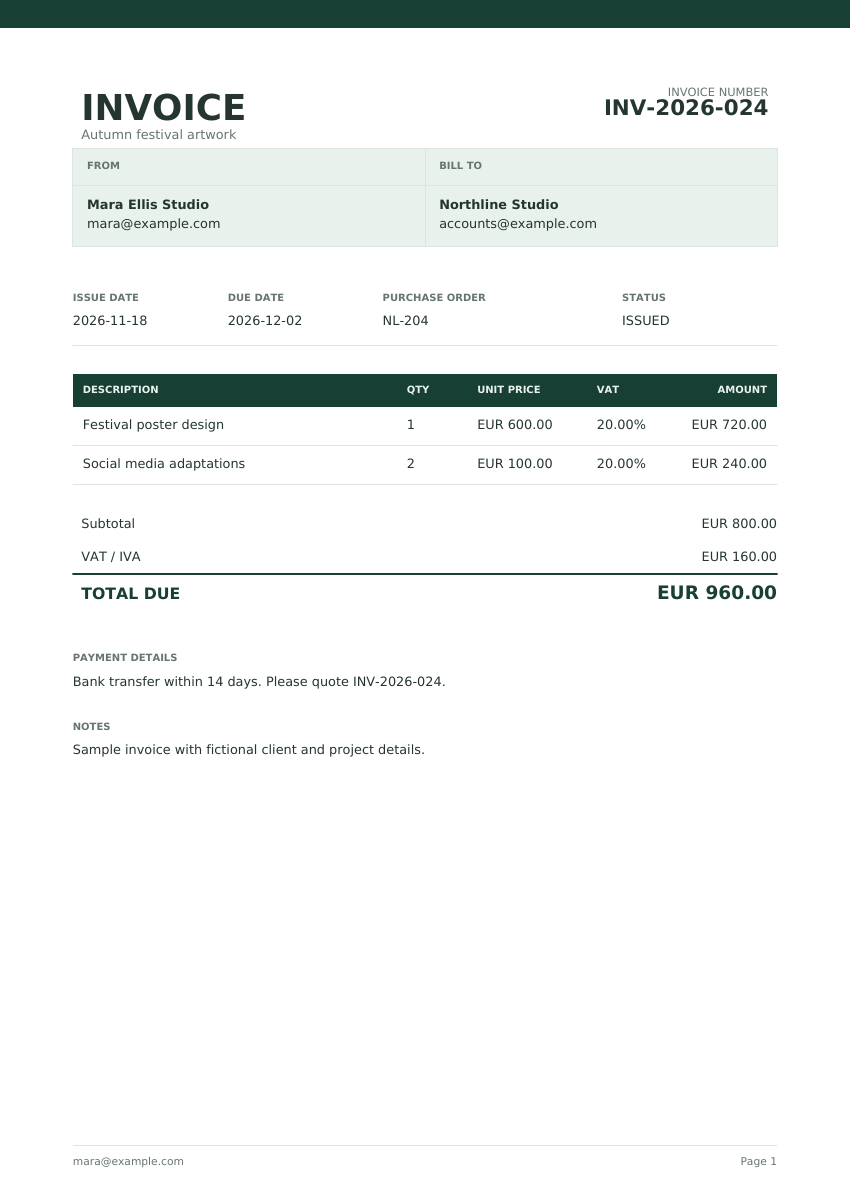
A look inside
How an invoice comes together.
-
1
Bill a saved client
Save each client’s billing details, currency and usual rate once. Pick them from your client list the next time you bill them.
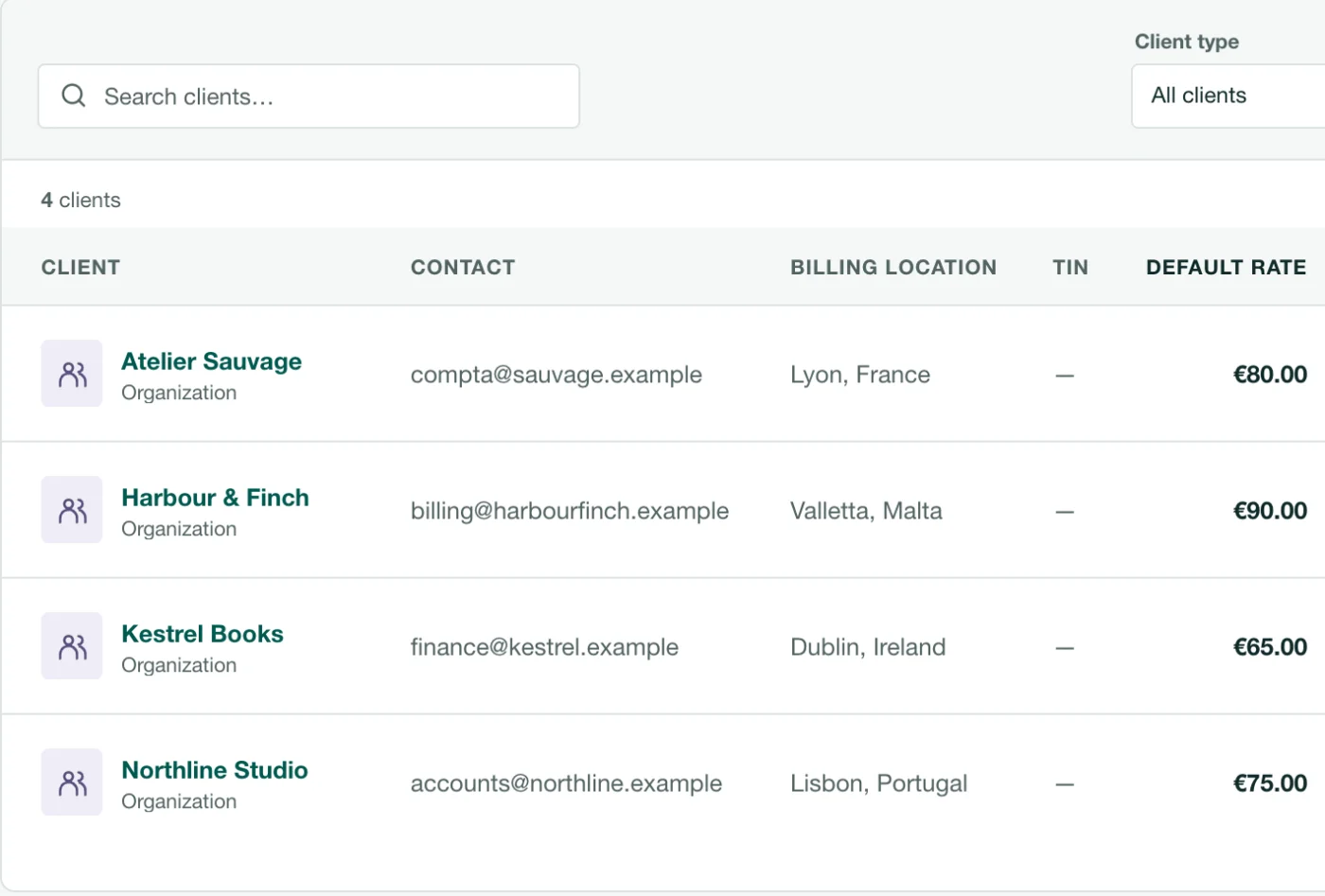
Saved once, reused on every invoice -
2
Add the work
Enter quantities and rates. VAT, the subtotal and the total due are calculated as you type, and your payment details are filled in for you.
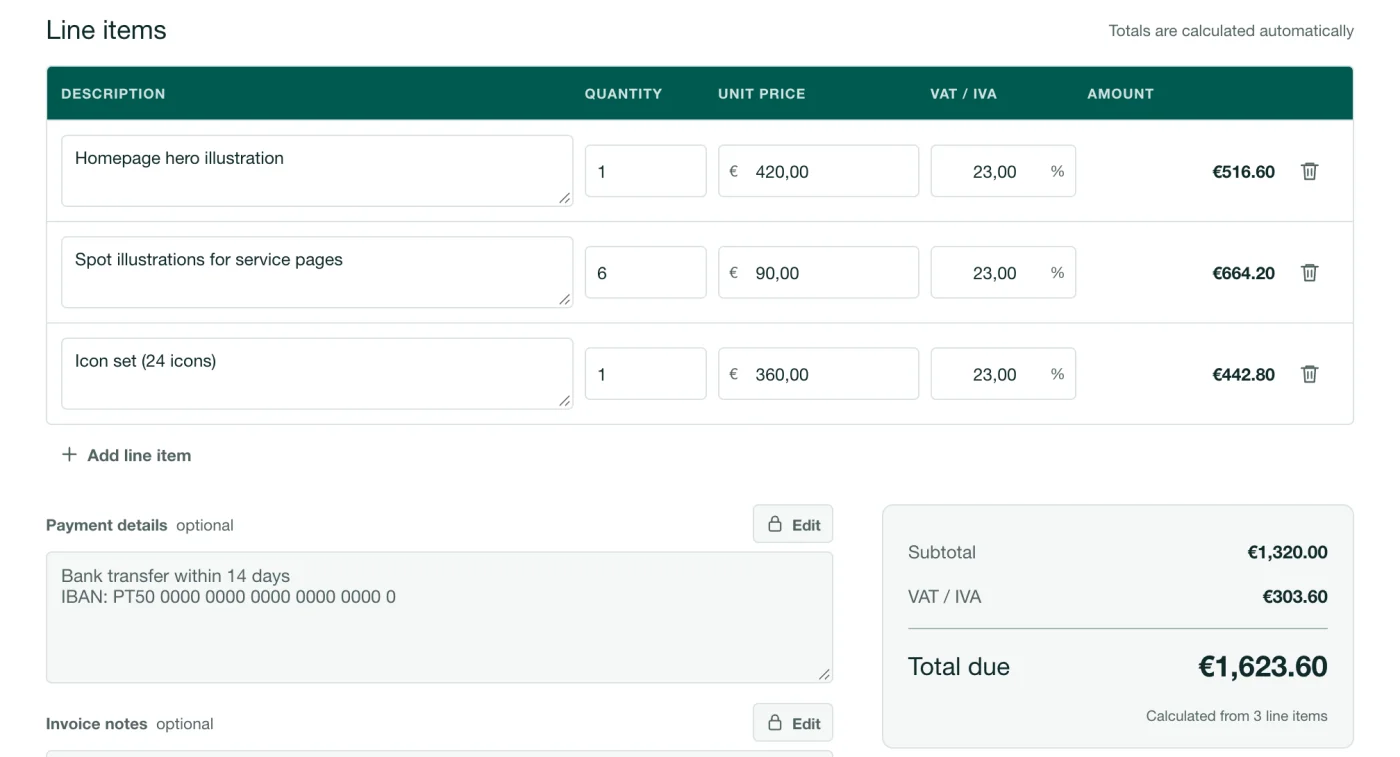
VAT and totals calculated for you -
3
See which invoices are paid
Attach the bank receipt when the money arrives. Every invoice shows whether it’s paid, part paid or still missing proof of payment.
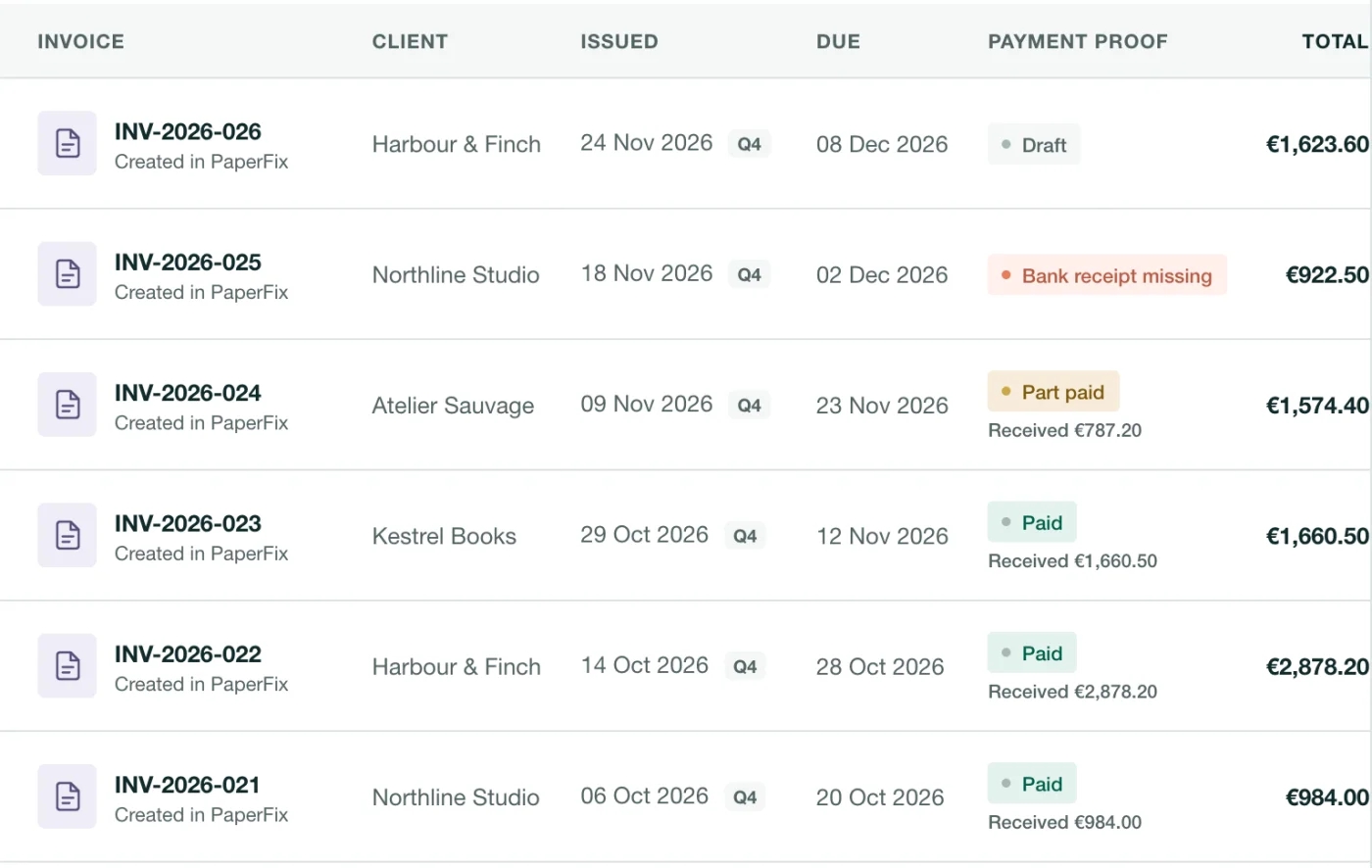
Part paid: €787.20 of €1,574.40 received -
4
Hand over to your accountant
Share the quarter with your accountant for free, read-only, or download a ZIP with a CSV summary. They see the totals and every record.
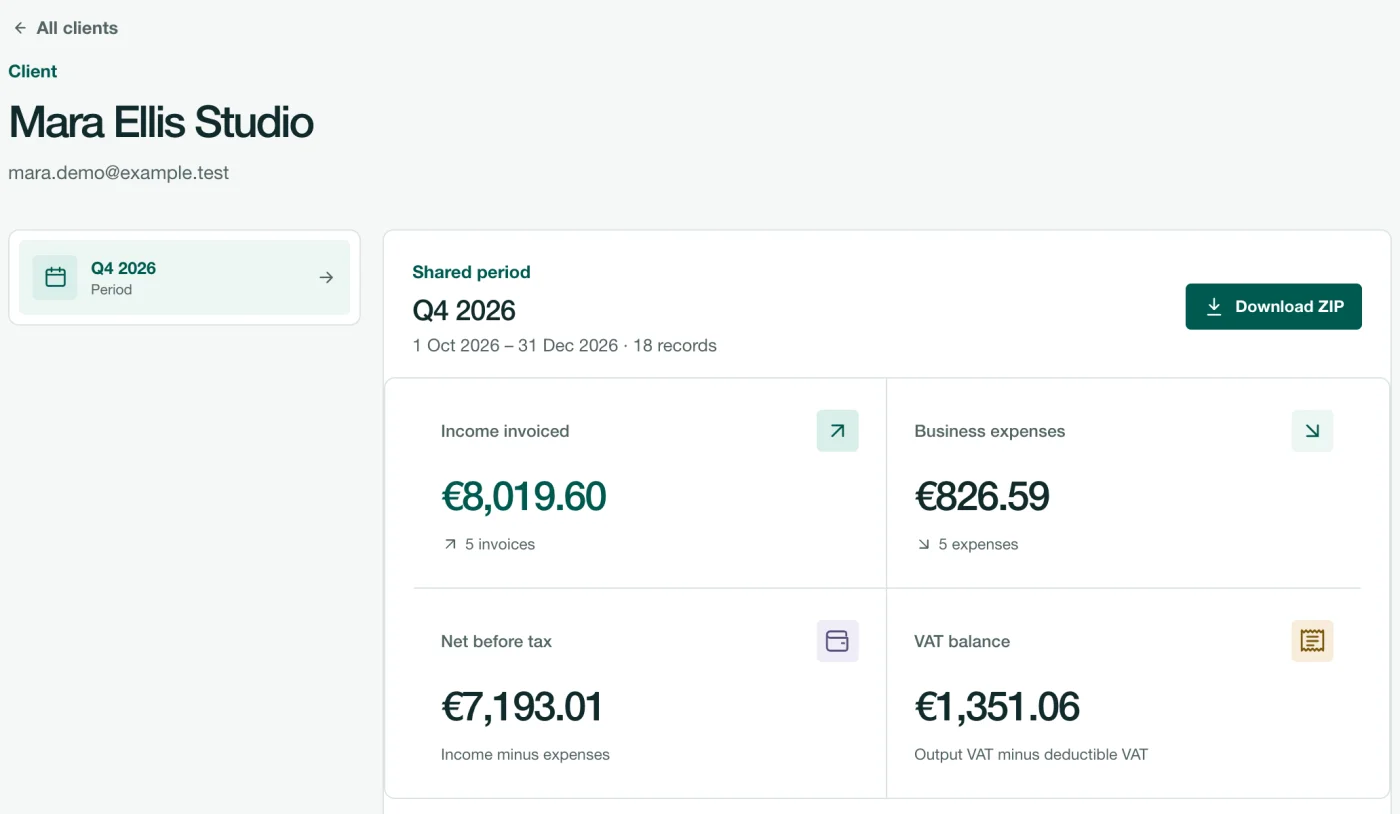
Read-only, and free for your accountant
One plan, every feature
What your trial includes.
- Invoice PDFs with drafts and suggested numbers
- A client directory with each client’s currency and usual rate
- VAT, subtotal and total calculated on every line
- Invoices in other currencies, using European Central Bank rates
- Payment tracking with bank receipts linked to invoices
- Expense and receipt reading for you to review
- Free read-only access for your accountant
Before you sign up.
Can I invoice clients in other currencies?
Yes. Each client has a default currency. For an invoice settled in another currency, PaperFix fetches the European Central Bank rate and calculates the expected amount, which you can adjust.
Does PaperFix number my invoices?
The editor suggests the next number for the current year, and each number can be used only once.
Can I reuse details from my last invoice?
Yes. Choose a saved client and PaperFix fills in their billing details, payment instructions and notes from their latest invoice.
What happens after the 14 days?
To keep creating invoices, choose a monthly or yearly plan. If you don’t, nothing is charged because you never entered a card, and you can still view, download and export your invoices.
Where is my data kept?
PaperFix is made and hosted in the EU. Your workspace is private, and your accountant sees only what you choose to share.
The free trial
Have a client to invoice?
Create and issue your first invoice today, free for 14 days.
No credit card required.