For freelancers
Invoices and receipts, ready for your accountant.
Create invoices, upload receipts as they arrive and see which payments still lack proof. When the quarter ends, your accountant opens one link instead of chasing you by email.
14 days free No credit card required
Start my free trial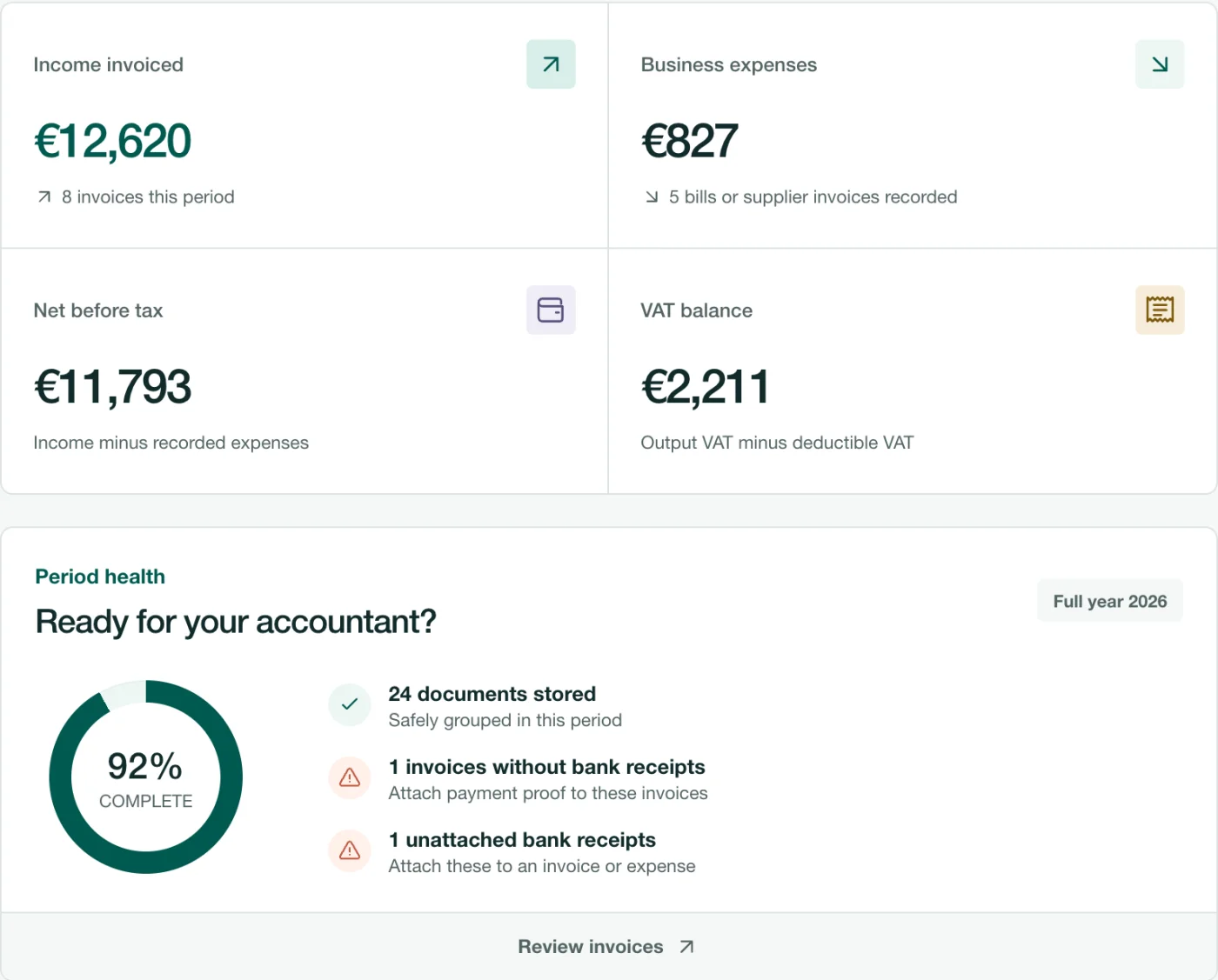
 Made and hosted in the EU
- Free access for your accountant
- You choose what to share
A look inside
From your first invoice to your accountant’s desk.
-
1
Invoice your clients
Create invoices from saved clients and download the PDF. The list shows which invoices are paid, part paid or still waiting for proof of payment.
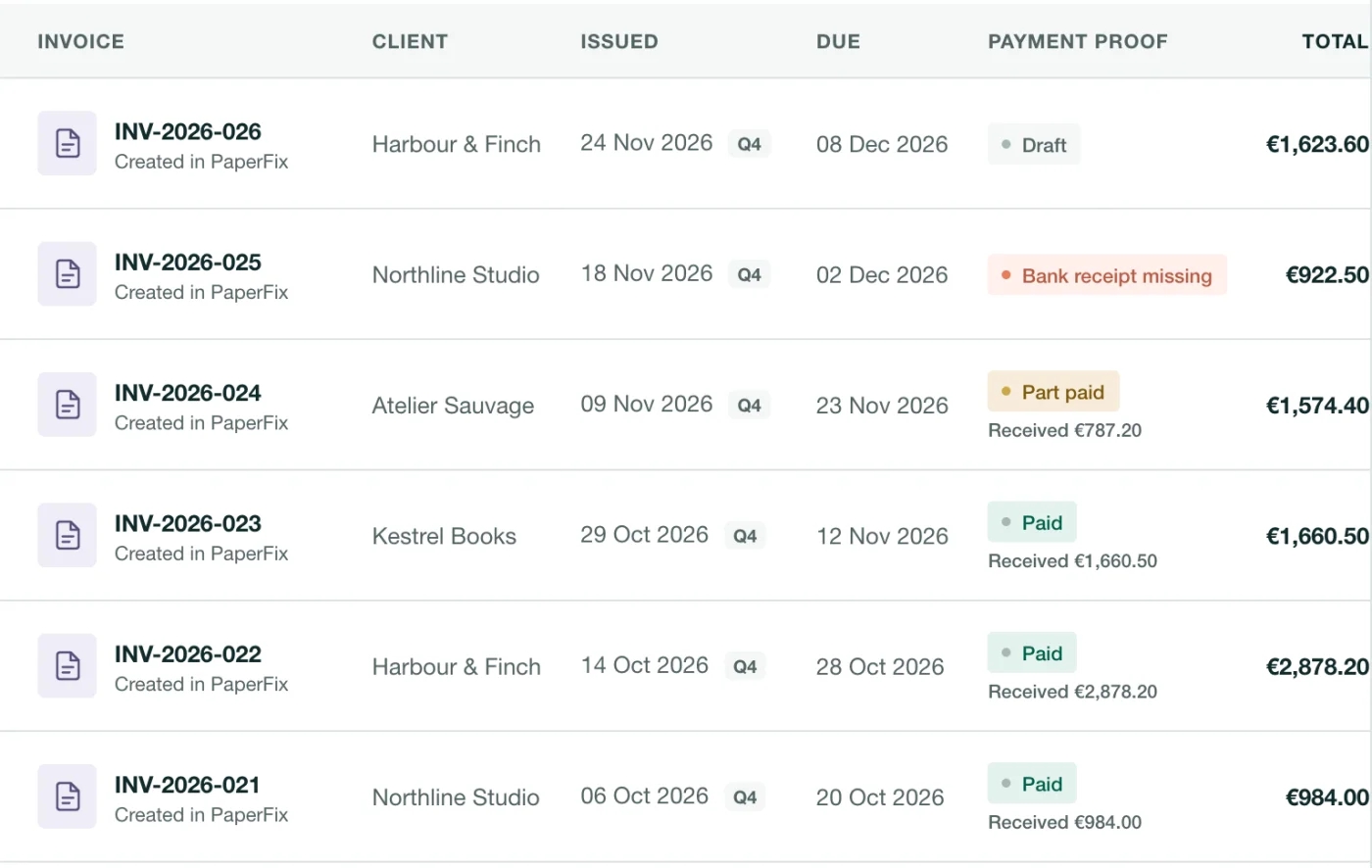
One invoice still missing its bank receipt -
2
Link every payment
Upload bank receipts one at a time or up to 20 at once, then attach each one to the invoice or expense it pays. Anything left unattached is flagged.
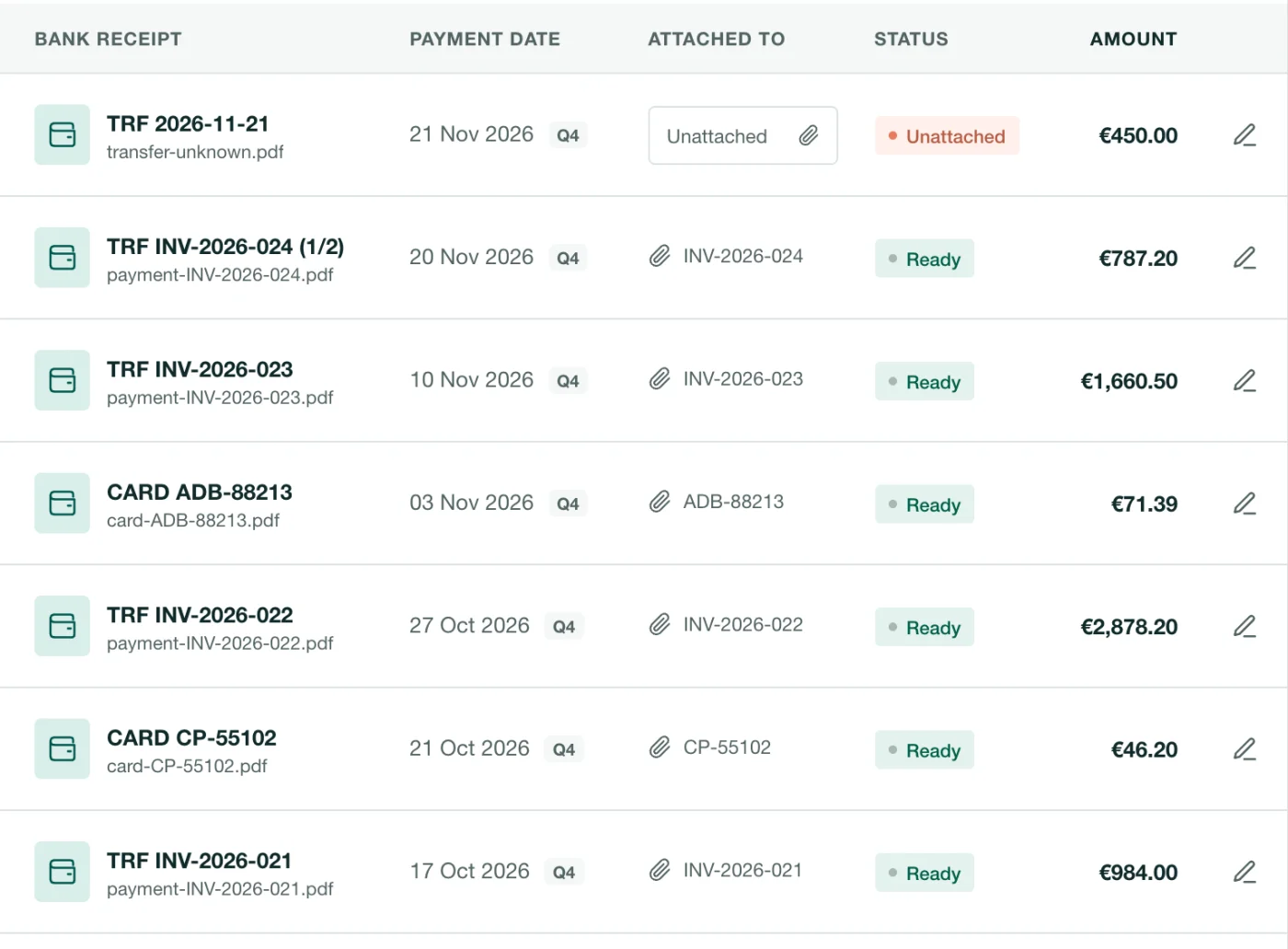
Unattached payments are flagged -
3
Share the quarter
Enter your accountant’s email, choose the period and copy the link. Only someone signed in with that email can open what you share.
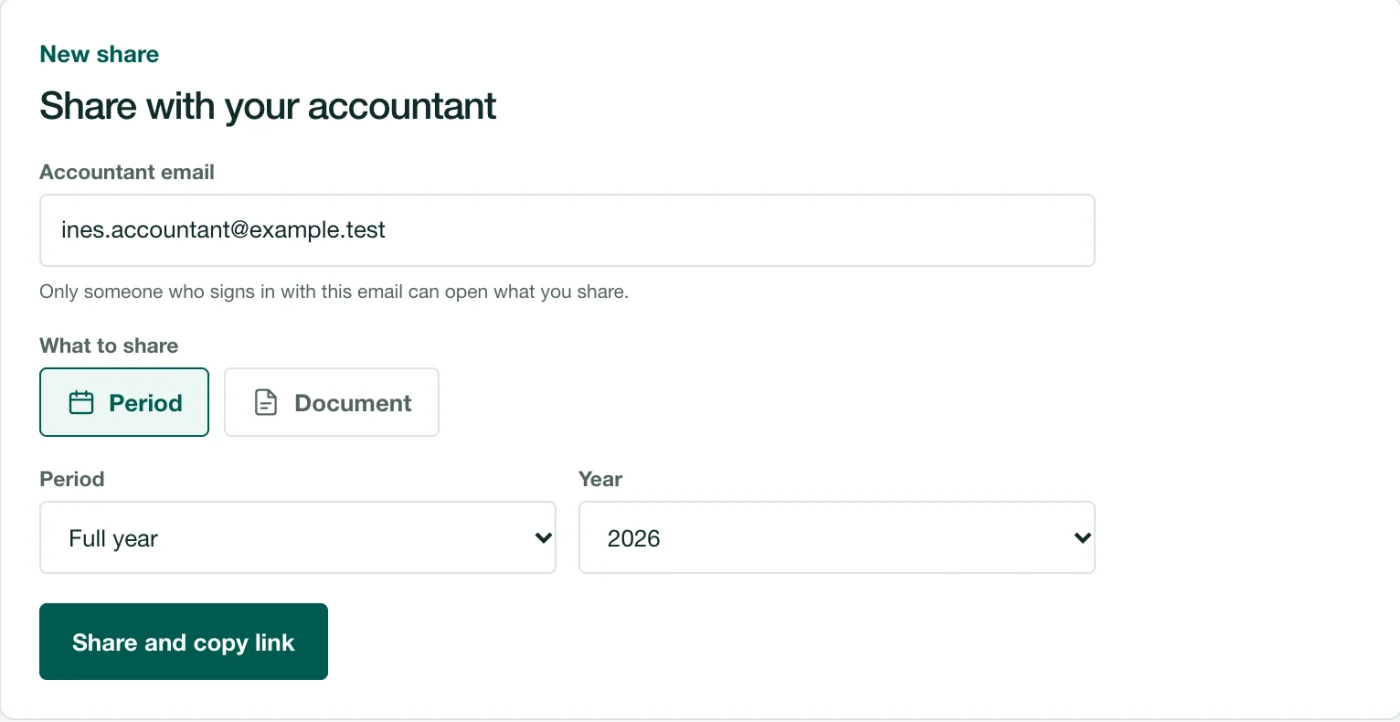
Only your accountant’s email can open it -
4
What your accountant sees
Your accountant gets a free, read-only workspace with the quarter’s totals, every record and a ZIP download. Your drafts stay private.
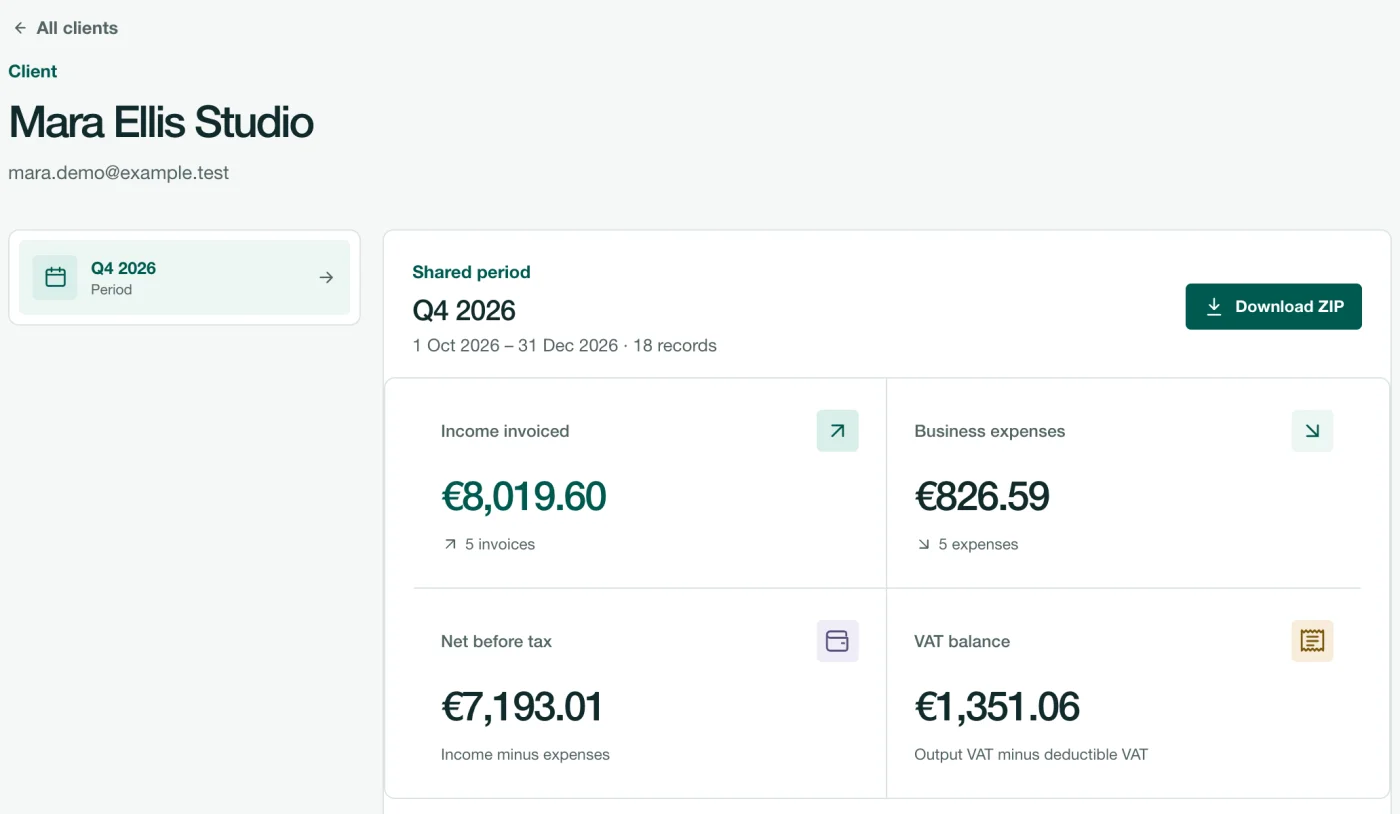
Totals, records and a ZIP in one place
One plan, every feature
What your trial includes.
- Invoice PDFs with saved clients, rates, VAT and suggested numbers
- Receipt and expense reading for you to review
- A list of invoices still missing proof of payment
- Income, expense and VAT totals for each filing period
- Filing periods of 1, 2, 3, 6 or 12 months
- Read-only accountant access you can end at any time
- A ZIP export of your originals with a CSV summary
Before you sign up.
Does my accountant need to pay?
No. You share a filing period with your accountant’s email address. They sign in with a free accountant account and see only what you share, read-only.
What happens after the 14 days?
To keep adding records, choose a monthly or yearly plan. If you don’t, nothing is charged because you never entered a card, and you can still view, download and export your records.
Can I take my records with me?
Yes. Download a ZIP of the original documents with a CSV summary for any filing period or a whole year.
Where is my data kept?
PaperFix is made and hosted in the EU. Your workspace is private, and your accountant sees only the periods or documents you choose to share.
Which currencies and periods does it support?
Invoice in any currency, with exchange rates from the European Central Bank, and choose a filing period of 1, 2, 3, 6 or 12 months. The app is in English.
The free trial
Get this quarter ready for your accountant.
Use every feature free for 14 days with your own invoices and receipts.
No credit card required.